Trees Hate You Mobile: Is the Rage Platformer on Phones Yet?
Wondering if Trees Hate You mobile is playable on phones? See the Steam demo details, the release date, and community touch controls as of Oct 12, 2026.
The short answer about Trees Hate You mobile is that, as of October 12, 2026, the official Steam page does not list an Android or iOS version. You can try a free PC demo right now, and the full release is planned for November 16, 2026. A community-built page mentions mobile-style touch controls, but that is not the same as an official mobile port.
Is There an Official Trees Hate You Mobile Release?
No. The official Steam page for Trees Hate You lists a minimum requirement of Windows 10 or Higher and 1 GB of available space, with no Android or iOS build shown. In other words, the official platform snapshot is PC through Steam, not a phone release.
That does not mean the mobile discussion is completely made up. A community page describes a mobile/tablet layout with an on-screen joystick, a jump icon, a restart button, and a side action button for late-game dashing. However, that page is not the official store page, and its platform details should be treated as separate from the Steam release.
| Platform | Official Steam page as of Oct 12, 2026 | Community page description | Verdict |
|---|---|---|---|
| Windows PC | Minimum OS: Windows 10 or Higher; 1 GB available space; demo available | PC keyboard controls listed | Official |
| Mobile/tablet | No Android or iOS version listed | On-screen joystick, jump icon, restart button, dash button | Not confirmed by Steam |
| Steam Deck | Compatibility Unknown | No specific info | Not rated |
This distinction matters because the official Steam listing is the safest place to check before downloading anything.
What the Steam Page Says About Platforms, Demo, and Release Date
As of October 12, 2026, the official Steam page lists Tykenn as both developer and publisher. The planned release date is shown as November 16, 2026, and the page text adds that the game “plans to unlock in approximately 5 weeks.” There are no user reviews yet, and the game is not available for purchase because it has not launched.
The same page promotes a playable demo. Two news posts also appear on the store page: one from August 29, 2026 titled “Trees Hate You Has a Release Date!” and an earlier one from June 19, 2026 titled “Demo Updates & Next Fest.”
The official feature list is short but useful for platform planning. It confirms single-player, Steam Achievements, Steam Cloud, Family Sharing, full controller support for Xbox and PlayStation controllers, and a keyboard-only option. The language section lists English interface and subtitles plus 21 other languages.
| Feature | Official Steam listing |
|---|---|
| Developer / Publisher | Tykenn / Tykenn |
| Planned release | November 16, 2026 |
| Demo | Available on Steam |
| Supported play | Single-player |
| Input | Xbox and PlayStation controllers; keyboard-only option |
| Platform minimum | Windows 10 or Higher; 1 GB available space |
| User reviews | No user reviews as of Oct 12, 2026 |
How Controls Work: Official PC vs. Community Touch Layouts
The official Steam page does not print a full keybinding list, but it does state that the game has full controller support for Xbox and PlayStation controllers and a keyboard-only option. That is the best official input information available before launch.
The community page goes deeper. It lists PC controls as A/D or Left/Right Arrows for movement, Spacebar or W Up Arrow for jumping, R for interact or reset, and Shift for dashing in the late game. For mobile/tablet, it describes an on-screen joystick, a jump icon, a restart button, and a side action button for dashing.
| Action | PC controls from community page | Mobile/tablet controls from community page | Official Steam input note |
|---|---|---|---|
| Move left/right | A / D or Left/Right Arrows | On-screen joystick | Full controller support for Xbox and PlayStation controllers |
| Jump | Spacebar or W Up Arrow | Jump icon | Keyboard-only option listed |
| Interact/Reset | R | Restart button | Not specified on Steam page |
| Dash (late game) | Shift | Side action button | Not specified on Steam page |
If you are playing the official Steam demo, use the keyboard or a supported controller. The touch layout should not be assumed to reflect a final mobile port.
The Demo Run: Signs, Checkpoints, and Tree Traps
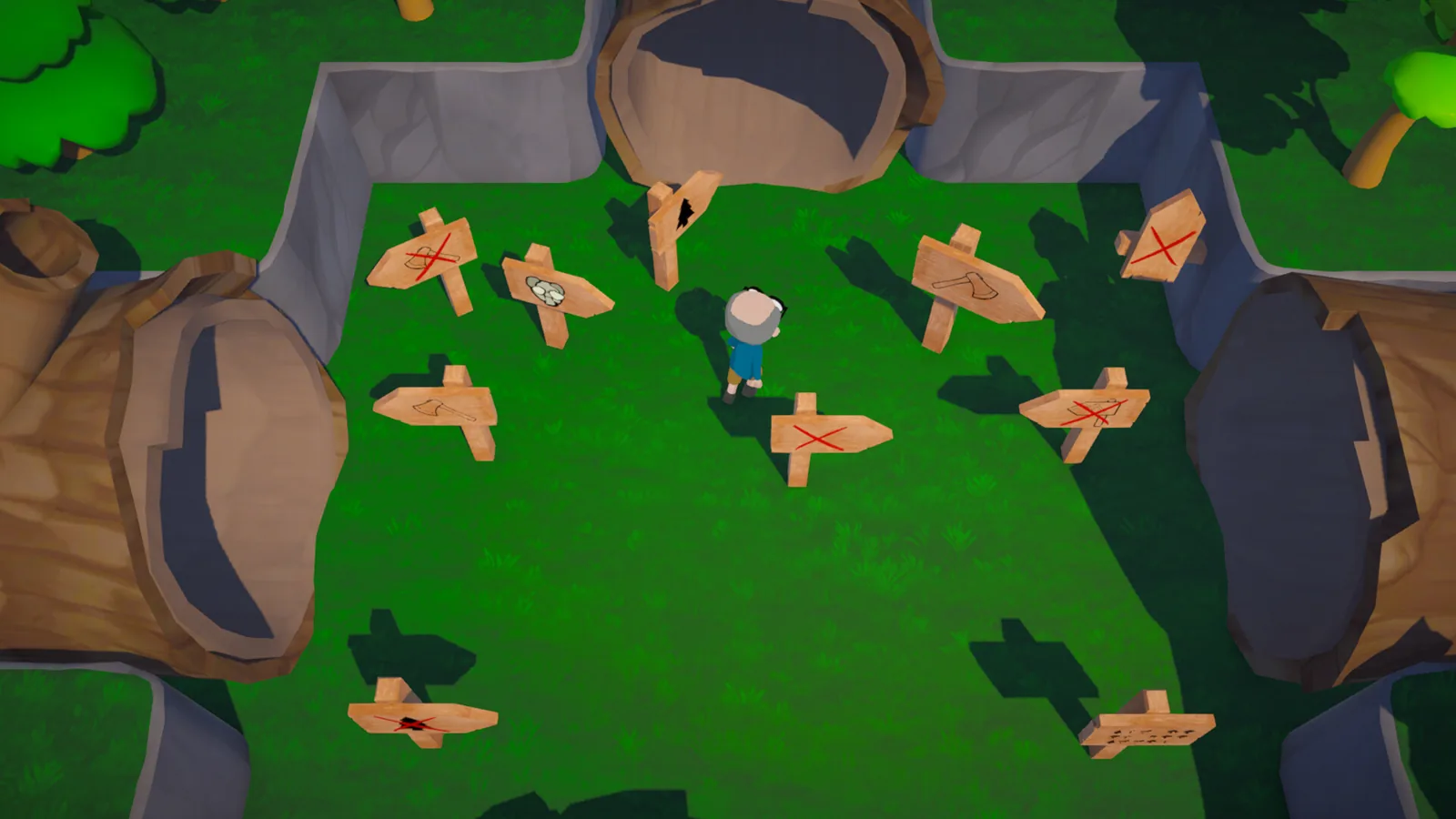
The demo is where most of the real gameplay detail comes from. One player recording a demo run set up the premise: you just had a picnic in the woods and now it is time to go home. The first in-game sign becomes a warning: “Be sure to read every sign you see. You never know when one might will say something useful.”
That player quickly found out why the signs matter. The trees in this demo are not background objects. Some pull out guns, some launch rockets, and at one point a tree hit the player with a car and sent them to “tree heaven.” It is absurd, but it reinforces the official description: this is a rage game focused on traps and gags.
| Demo moment | What happened |
|---|---|
| Opening | Player begins at a woods picnic and starts the hike home |
| First sign | Sign warns to read every sign before moving on |
| First checkpoint | Player reaches a checkpoint and treats it as a major relief |
| Armed trees | Player says “These trees got guns” and later dodges rocket and knife attacks |
| In-game hint | A hint reads: “If you get stuck, press tab to check for trees.” |
| Car trap | A tree hits the player with a car, sending them to tree heaven |
| Secret loot | Player backtracks to a treasure chest and finds a top hat |
The community page also describes the demo as containing the first few levels of the “Forest of Frustration” and notes that red or darkened leaves mark high-aggression zones. The same page recommends baiting a tree until it starts its winding-up animation, then retreating. Once the tree misses, there is a short cooldown window to jump over or run past.
Demo survival checklist
- Read every sign before walking into a new screen.
- Watch for red or darkened leaves near aggressive trees.
- Press Tab if you get stuck to check for trees.
- Look for small clearing markers to save your progress.
- Backtrack to treasure chests if you want hats.
This is all pre-release demo information as of October 12, 2026, so some details may change in the full release.
What to Expect From the Full Release on November 16, 2026
The official Steam page describes Trees Hate You as a “rage game focused on traps and gags.” It promises that “there’s a surprise around every corner to keep your hike infuriating.” The tone is not subtle: “These trees are unfair, mean, and merciless. They will use your expectations against you to humiliate you.”
The feature list adds more shape to that experience. You can be the victim of a variety of bullying methods, get lost in several biomes as your journey goes off course, collect cool or ugly hats, and maybe find an axe. The last point is written as a question on the page, which fits the game’s sarcastic tone.
Beyond the jokes, the Steam page lists several accessibility features: Save Anytime, Camera Comfort, Custom Volume Controls, Stereo Sound, Playable without Quick Time Events, and Keyboard Only Option. That is useful for a game built around repeated deaths and sudden traps.
The genre is listed as Adventure and Indie. Steam’s popular user-defined tags include Comedy, Funny, Memes, Nature, Dark Humor, Parody, Walking Simulator, Dark Comedy, Surreal, Difficult, Cartoon, 3D, Controller, Third Person, Linear, Character Customization, Singleplayer, Cartoony, and Top-Down.
FAQ
Is Trees Hate You mobile officially confirmed for phones?
No. As of October 12, 2026, the official Steam page lists Windows 10 or Higher as the minimum requirement and does not show an Android or iOS version. A community page describes mobile-style touch controls, but that is not an official mobile launch.
Can I play a demo before the full release?
Yes. The official Steam page promotes a free demo. The community description says the demo covers the first few levels of the Forest of Frustration, and the full release is planned for November 16, 2026.
What are the official controls for the Steam version?
The Steam page says the game has full controller support for Xbox and PlayStation controllers and a keyboard-only option. A community page adds more detail: A/D or Left/Right Arrows to move, Spacebar or W Up Arrow to jump, R to interact or reset, and Shift to dash in late game.
Does the game support achievements and cloud saves?
Yes. The official Steam listing includes Steam Achievements, Steam Cloud, Family Sharing, and single-player. It also lists accessibility options such as Save Anytime, Camera Comfort, and Keyboard Only Option.
Related Articles
Continue Reading
itch.io Demo Review: Traps, Trees, Rage
Discover the Trees Hate You itch.io demo: free HTML5 and Windows build, WASD or controller movement, 4.6-star rating, and the latest 2026 Steam plans.
PlatformsMultiplayer: Is Co-Op in the 2026 Steam Demo?
The official Steam page lists Trees Hate You multiplayer as absent and tags the game single-player only. Get the release date and demo player reports.
PlatformsNintendo Switch Release Status Demo Platforms
Get the latest Trees Hate You Nintendo Switch release status and official Steam facts: demo, languages, features, and platform caveats as of Oct 12, 2026.