Trees Hate You Demo Walkthrough: Traps, Checkpoints, Axe
Need a Trees Hate You demo walkthrough that covers trap categories, checkpoint resets, root timing, and player-tested lines to the second flag plus the axe
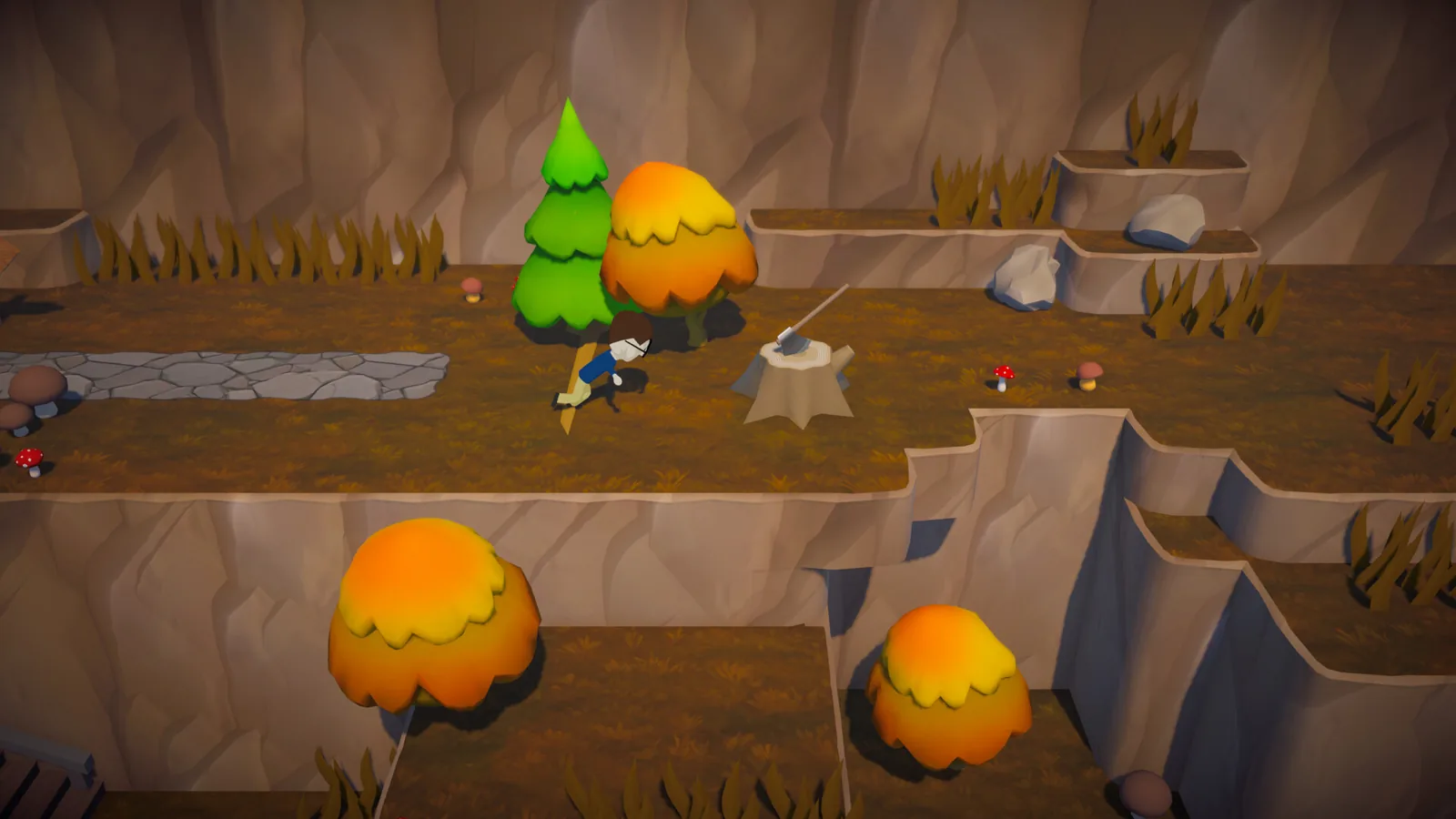
Start this Trees Hate You demo walkthrough with one rule: treat every death as scouting data, not reflex failure. The public demo details as of June 26, 2026 describe movement-only basics, so most early deaths come from misreading delayed tree or root setups rather than missing a jump. You will get further by triggering the obvious trap, watching what actually moves, repeating the safe line, and only then pushing to the next checkpoint.
Demo Basics: Movement, Traps, and Checkpoints
On October 12, 2026, the Steam page for Trees Hate You still listed the full release as planned for November 16, 2026, with developer and publisher Tykenn. It also included a demo download link, so the demo is the best place to test the game before that planned unlock. The official description calls it a “rage game focused on traps and gags.”
Input-wise, the Steam page lists a keyboard-only option plus Xbox and PlayStation controller support. A player-made guide reviewed on June 26, 2026 says the current public demo guidance focuses on movement-only basics: WASD or arrow keys, no jump button, and most mistakes come from trap reading. Because that guide is not an official manual, treat in-game prompts as the final word if your build behaves differently.
| Input | Official Steam detail | Player guide detail for the public demo |
|---|---|---|
| Keyboard | Keyboard only option listed | WASD or arrow keys; movement-focused |
| Controller | Xbox and PlayStation controllers supported | Follow in-game prompts for extra actions |
| Jump | Not separately listed on Steam | No jump button in movement-only demo guidance |
Checkpoints are easy to misunderstand in this game. The developer’s Part 2 demo update devlog, as summarized by a player-made how-to page, says the expanded trail includes a few checkpoints. The June 19, 2026 Steam announcement also highlighted a new checkpoint near the end of level 1. Each flag or checkpoint works best as a stable reset point, not proof that the next stretch is safe.
Begin with this survival loop instead of a full sprint:
- Start each new stretch from a stop
- Move only far enough to test the first obvious trap trigger
- If a lane looks too empty, assume the danger is delayed rather than missing
- Do not trust signs or helpful-looking paths until the trap reveals itself
- Once you know a trap, repeat the same safe line instead of improvising
- Explore for hats and the axe after you can reach the next checkpoint consistently
Trap Types You’ll Meet in the Demo
A player-made trap guide separates the demo into four trap categories: Environmental, Deceptive, Surprise, and Combo. Knowing the category helps because the game rarely punishes a single dodge; it punishes the next decision you make while you are still celebrating survival.
| Trap category | What to look for | Player-reported demo example |
|---|---|---|
| Environmental | Natural objects that turn hostile | A video player spotted a tree about to drop and moved to the safe side before it fell |
| Deceptive | Fake signs, misleading paths, helpful-looking shortcuts that lead to death | The same player questioned an obvious route before stepping through |
| Surprise | Sudden ambushes from somewhere that seemed empty | “That one has a gun.” |
| Combo | Multiple traps chained together after the first miss | A player got caught again and said they would quit if they fell for the same trick once more |
The Environmental category is the easiest to learn because the setup is often visible. In one player-made demo video, the narrator saw a tree about to drop, moved to a safe spot away from it, and described that decision out loud. That is the pattern to copy: see the natural object, wait for the trigger, and pre-position instead of panic-running.
Deceptive and Surprise traps punish exactly the opposite habit. A path that looks helpful may not be help, and an empty-looking area can still have an ambush. The same video player said one tree follows you, and in another stretch they simply ran through and survived. Those moments matter because they show that the demo tests memory and line choice more than raw speed.
Combo traps are the real patience check. The community advice is to slow down after every successful dodge. If you immediately sprint into the next open space, you may run into the second trap in the chain. Learn patterns through repetition and use each death as a note: what moved, what looked too helpful, and where the safe gap appeared.
Root Section and Second Flag Routes
If roots keep catching you, do not treat the section like a reaction test. The player-made guide recommends edging forward to trigger the root, stepping back, and crossing only after you understand the timing or spot the safe gap.
| Root-section step | Action | Why it reduces deaths |
|---|---|---|
| 1 | Tap forward briefly into the suspicious root area | The trap fires without you fully committing |
| 2 | Step back to a safe spot | You can watch the root pattern instead of reacting mid-dash |
| 3 | Cross using the revealed safe gap | You avoid hugging the obvious bait lane |
| 4 | If a root is delayed, wait for that delayed movement | You stop celebrating the first dodge too early |
The second flag is best used as a route-reading goal, not a sprint target. Clear the first trap, pause before the next safe-looking path, watch branches, roots, signs, and floor edges for delayed movement, and keep the same line once it works. Changing your angle can drop you back into a trigger. A video player repeated “It’s over here” while hunting for a specific trigger, then cleared the section by staying with a simple idea rather than trying a new route each time.
It can help to think of the second flag as progress you can repeat. If you can reach it once, do not immediately chase the rest of the level. Practice the same route again until the early trap answers feel reliable. Then carry one learned answer into the next setup without letting a safe-looking recovery path bait you.
Secrets, Hats, and the Axe
The Steam page says you can collect “cool hats (or ugly hats, depending on your fashion sense)” and find an axe. A player-made guide adds that there are hidden hats scattered through the levels and a legendary axe secret item for players who search off the beaten path.
This is the one part of a Trees Hate You demo walkthrough where you should slow down even more. The route itself comes first; collectibles are easier after you can reach the next checkpoint consistently.
- Reach the second flag consistently before collectible hunting
- Check off-path areas for hidden hats
- Look for the legendary axe only after the main route is stable
Do not let the axe question distract the first pass. The Steam page literally says “Find an axe?” with a question mark, and the player-made guide calls it legendary, but the reliable first clear is still a trap-reading route.
What the Steam Page Confirms for 2026
On October 12, 2026, the official Steam listing still showed the game as not yet available, with a planned release date of November 16, 2026.
| Detail | Steam page snapshot |
|---|---|
| Developer | Tykenn |
| Publisher | Tykenn |
| Planned release | Nov 16, 2026 |
| Demo | Download Trees Hate You Demo link |
| Game description | “rage game focused on traps and gags” |
| Features | Single-player, Steam Achievements, Steam Cloud, Family Sharing |
| Input options | Keyboard only option, Xbox controllers, PlayStation controllers |
| Languages | English plus 21 interface and subtitle languages |
| Minimum OS | Windows 10 or Higher |
| Minimum storage | 1 GB available space |
The page also lists two news posts: “Demo Updates & Next Fest” from June 19, 2026, and “Trees Hate You Has a Release Date!” from August 29, 2026. The first included the new checkpoint near the end of level 1; the second is the release-date update.
FAQ
Is there a beginner Trees Hate You demo walkthrough?
Yes. Start from a full stop, move only far enough to test the first obvious trap trigger, and repeat the safest line once you know it. Use the second flag or checkpoint as a stable reset point instead of as proof that the next lane is safe.
What controls are in the demo?
The Steam page lists a keyboard-only option and Xbox and PlayStation controller support. A player guide reviewed on June 26, 2026 says the current public demo movement is WASD or arrow keys with no jump button, but nonofficial controls should not override what your build shows in-game.
How do I get past the root part?
Edge forward to trigger the root, step back instead of rushing, and cross only after you understand the timing or safe gap. If a root is delayed, wait for the delayed movement instead of celebrating the first dodge too early.
Does the demo have checkpoints?
Yes. The developer’s Part 2 demo update devlog notes a few checkpoints on the expanded trail, and the June 19, 2026 Steam announcement highlighted a new checkpoint near the end of level 1. Treat flags as reset points for practice runs.
Related Articles
Continue Reading
act 2: Demo Status and Player Survival Guide
Looking for Trees Hate You act 2? See what the official itch.io demo includes on Oct 12, 2026, plus controls, update notes, and player survival reports.
GuidesArcade Machine High Score Guide and Tips
Discover how Trees Hate You arcade machine high score runs work, what the demo teaches, and which traps players report before the November 16, 2026 launch.
GuidesArcade Machine Guide: Demo Tips and Survival
Get the real story on the Trees Hate You arcade machine search, plus official Steam release facts, demo survival tricks, and player-reported trap moments.